
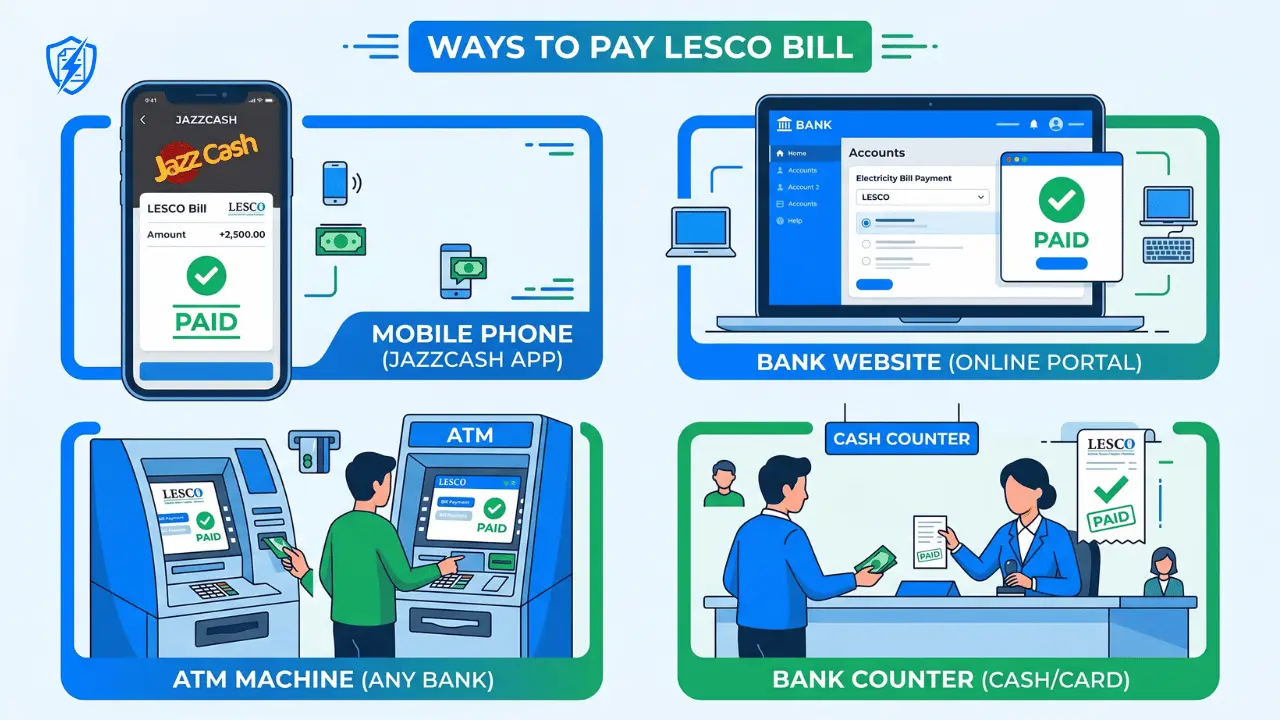
You have received your LESCO electricity bill. Now the next important step is to pay it before the due date. Late payment means extra charges and possibly disconnection of your electricity connection. But don’t worry – LESCO offers many easy ways to pay your bill. You can pay from home, from your mobile phone, or from any bank or shop near you.
This guide will show you 10 easy methods to pay your LESCO bill online and offline. Choose the method that works best for you.
What is LESCO Bill Payment?
LESCO bill payment is the process of paying your monthly electricity charges to Lahore Electric Supply Company. Every LESCO consumer receives a bill every month with an amount and a due date. You must pay this amount before the due date to avoid late payment penalties and disconnection.
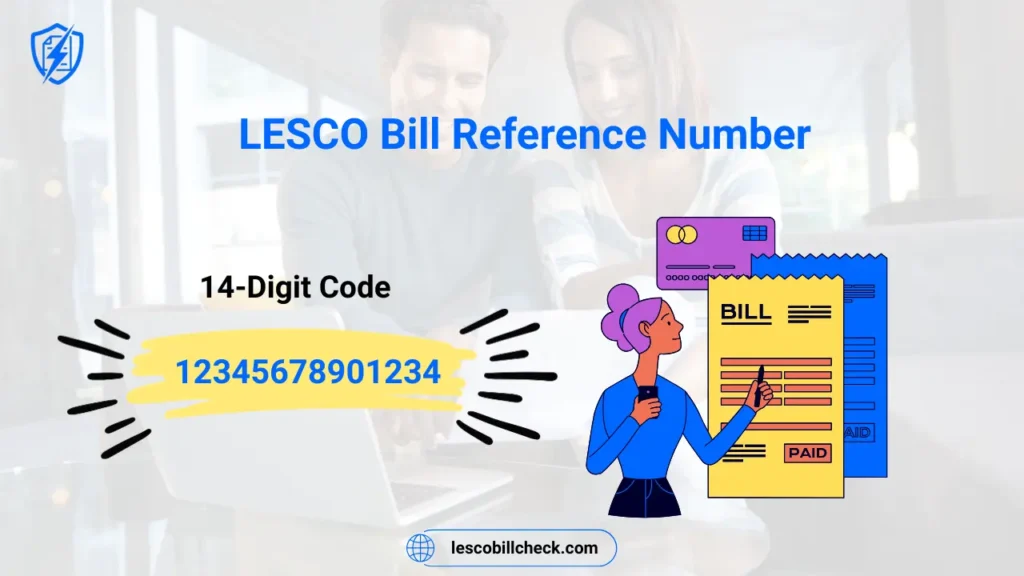
According to the official LESCO website, every consumer has a unique bill reference number. You need this 14-digit reference number to pay your bill through any method.
10 Easy Ways to Pay Your LESCO Bill
1. Pay via JazzCash (Mobile App)
JazzCash is one of the most popular mobile wallets in Pakistan. Follow these steps:
- Open JazzCash app on your mobile.
- Click on “Bill Payment” option.
- Select “Electricity” and then “LESCO”.
- Enter your 14-digit reference number.
- Your bill amount will appear on screen.
- Click “Pay” and enter your MPIN.
- You will receive a confirmation SMS.
You can also dial *786# from any mobile phone without internet to pay your LESCO bill through JazzCash.
2. Pay via EasyPaisa (Mobile App)
EasyPaisa is another popular mobile wallet. Follow these steps:
- Open EasyPaisa app on your mobile.
- Click on “Pay Bills” option.
- Select “Electricity Bill” and choose “LESCO”.
- Enter your 14-digit reference number.
- Verify your bill amount and due date.
- Click “Pay” and confirm.
- You will receive a confirmation SMS.
3. Pay via myABL Mobile Banking (Allied Bank)
According to Allied Bank, you can pay your LESCO bill easily through myABL Internet Banking or Mobile Banking. Follow these steps:
- Open myABL app or visit Allied Bank Internet Banking.
- Select “Payments” option.
- Choose “Bill Payment” and select “LESCO”.
- Enter your reference number or customer ID.
- Confirm the amount and pay.
4. Pay via Other Bank Mobile Apps
Almost all banks in Pakistan offer LESCO bill payment through their mobile apps. These include:
- HBL Mobile Banking
- UBL Digital App
- Meezan Bank App
- Bank Alfalah Mobile App
- Faysal Bank App
- Standard Chartered Mobile App
The process is the same for all apps: Select Bill Payment → Choose LESCO → Enter reference number → Pay.
5. Pay via ATM Machine
You can also pay your LESCO bill at any bank ATM. Follow these steps:
- Insert your bank card into any ATM.
- Select “Bill Payment” option.
- Choose “LESCO” from the list.
- Enter your 14-digit reference number.
- Your bill amount will appear on screen.
- Confirm the payment.
- Collect your receipt as proof of payment.
6. Pay via Bank Counter (Over the Counter)
If you prefer paying with cash, visit any bank branch. Give your LESCO bill or reference number to the bank teller. Pay the amount in cash. The teller will stamp your bill as “Paid” and give you a receipt. Keep this receipt safely.
7. Pay via Udhaar Book App
According to Udhaar Book, you can pay your LESCO bill online using the Udhaar Book app or by visiting web.udhaar.pk. Simply enter your reference number, view your bill, and pay instantly.
8. Pay via Kuickpay App
Kuickpay is an all-in-one digital payment app for Pakistan. You can pay your LESCO bill easily through this app. Download Kuickpay from Google Play Store or Apple App Store.
9. Pay via LESCO Official Website
You can also pay your LESCO bill through the official LESCO website:
- Visit https://www.lesco.gov.pk
- Click on “Customer Bill” or “Check Bill”.
- Enter your reference number to view your bill.
- Click on “Pay Now” button.
- You will be redirected to a payment gateway.
- Enter your bank card or mobile wallet details to pay.
10. Pay via PITC Web Bill Portal
Visit https://bill.pitc.com.pk/lescobill. Enter your reference number or customer ID. View your bill and click on the payment option to pay online.
LESCO Bill Payment Methods Comparison Table
| Payment Method | Internet Needed | Smartphone Needed | Cash or Card |
|---|---|---|---|
| JazzCash/EasyPaisa | Yes (App) or No (*786#) | Optional | Bank Account/Card |
| Bank Mobile App | Yes | Yes | Bank Account |
| ATM Machine | No | No | Card/Cash |
| Bank Counter | No | No | Cash |
| LESCO Website | Yes | Optional | Card/Bank Account |
How to Check LESCO Bill Payment Status?
After paying your bill, you should check whether the payment has been received by LESCO. Here are two easy methods:
Method 1: Via LESCO Website
Visit the LESCO website, enter your reference number. If your bill shows “Paid” or “Zero Amount”, your payment is successful.
Method 2: Via SMS to 8118
Send your 14-digit reference number to 8118. You will receive an SMS with your bill status. If it says “No due” or “Amount Rs. 0”, your payment is confirmed.
What Happens If You Miss the LESCO Bill Due Date?
If you do not pay your LESCO bill by the due date, the following consequences may happen:
- Late Payment Surcharge: Extra charges are added to your next bill.
- Disconnection Notice: LESCO may send a warning notice.
- Electricity Disconnection: Your electricity connection may be cut off.
- Reconnection Fee: You will have to pay a fee to get your connection restored.
Tip: Always pay your bill at least 2-3 days before the due date to avoid any technical issues or delays.
Frequently Asked Questions (FAQs)
How to pay LESCO bill online?
You can pay online through JazzCash, EasyPaisa, myABL, HBL Mobile, UBL Digital, or any bank’s mobile app. Enter your reference number and confirm payment.
How can I check my power bill?
Visit the LESCO official website, enter your 14-digit reference number, and your bill will appear instantly.
How to pay electricity bill online in Lahore?
Use JazzCash (*786#), EasyPaisa, myABL, or any bank mobile app. Select LESCO, enter reference number, and pay.
How do I pay my electricity bill using my phone?
Download JazzCash or EasyPaisa app. Select Bill Payment → LESCO → Enter reference number → Pay. You can also dial *786# without internet.
Can I pay my LESCO bill at any bank?
Yes, you can pay your LESCO bill at any commercial bank branch in Pakistan. Just give your bill or reference number to the bank teller.
How to check LESCO bill payment history?
Visit the LESCO website, enter your reference number, and click on “Payment History” to see your last 12 months of payments.
What is the LESCO bill payment app?
The official app is Power Smart App. You can also use JazzCash, EasyPaisa, or your bank’s mobile app for LESCO bill payment.
Is there a service charge for online LESCO bill payment?
Most apps like JazzCash and EasyPaisa do not charge any fee for bill payment. Some banks may charge a small fee, so check before paying.
Conclusion
LESCO bill payment is now very easy and convenient. You do not need to stand in long queues at banks anymore. With mobile apps like JazzCash and EasyPaisa, you can pay your bill in less than one minute from anywhere. You can also pay through your bank’s mobile app, ATM, or by visiting any bank branch.
The most important thing is to pay your bill before the due date to avoid late payment penalties and disconnection. Save your reference number in your phone. Set a reminder for the due date. And choose the payment method that is most convenient for you.
Remember: Always keep your payment receipt or SMS confirmation until the amount reflects in LESCO’s system. This protects you if there is any payment dispute.


Sir, I want to pay my LESCO bill (Reference No. 131124******00) through HBL Mobile Banking App, but currently the app is not showing the August 2026 bill. Instead, the July 2026 bill is showing, which has already been paid.
Please look into the matter and upload the August 2026 bill.
Thank you for reporting this issue. The August 2026 LESCO bill may not yet be updated in the HBL Mobile Banking system. Please check again after some time. You can also use the official LESCO bill portal to view and pay your latest bill.
For your privacy and security, we have hidden part of your reference number from the public comment.
I want to pay my LESCO bill through LESCO website using my credit card but this site has not any bill payment system. I thought this would has bill payment system through any card debit/credit but unfortunately it made disheart.
The custemer has to negative to other multiple mobile or banking apps, it must be a centerlized mechanizm provided by merchant where customer get login and pay their bills using any kind of credit or debit card which is highly recommended. If this system already exist then may be I don’t know. Please guide me about it. Thanks
No card payment on LESCO’s site, so pay via EasyPaisa, JazzCash, or bank apps until a unified gateway arrives.